
From nothing to a working site in a few minutes
Five steps. Every picture below is a screenshot of the real thing, not a drawing of it — the same demos you can open yourself from any page on this site.
Pick a look
Six templates, and the one you choose is a starting point rather than a cage.
Each template is a preset: a palette, a pair of fonts, a hero style, and an order for the sections. Choose commercial, mortgage, or residential and the right software, listing fields, and wording are switched on for you. Change your mind next month and switch templates in one click — your listings, your team, and your settings all stay exactly where they are.
Look through the templates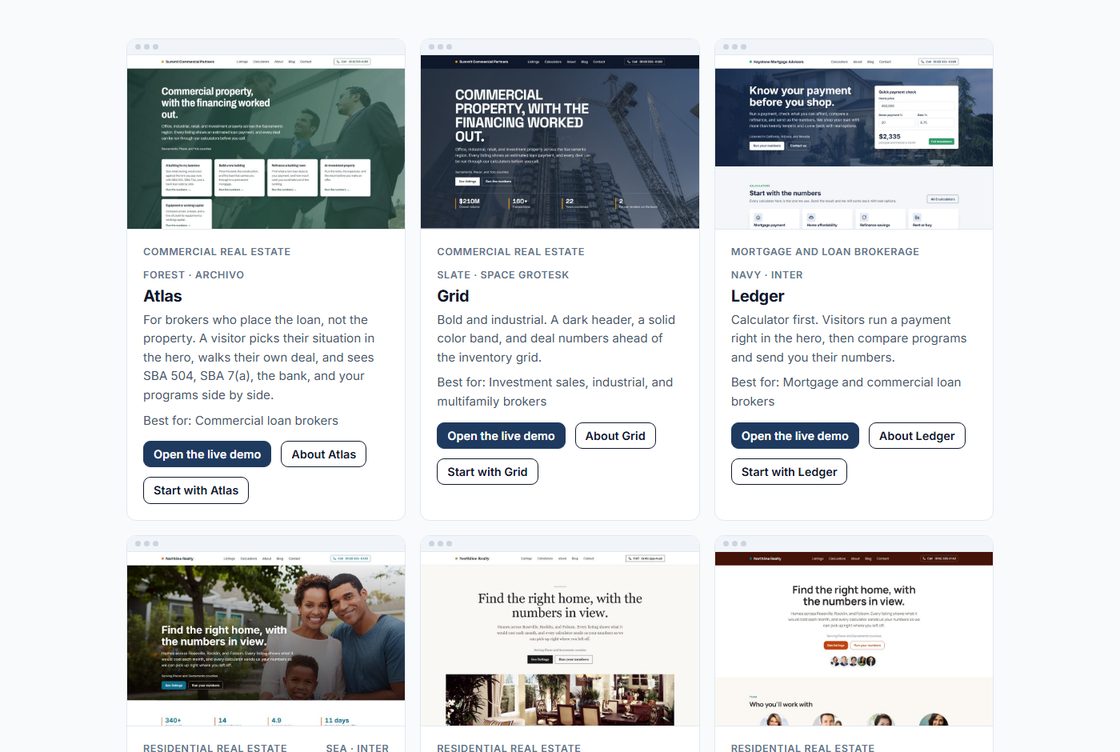
Everything runs from one dashboard
No code, no plug-ins, nothing to install. If you can fill in a form, you can run the whole site.
Design, content, listings, your team, the blog, which software is switched on, your leads, your domain and your billing are all in one place down the left. The front page tells you what is still worth doing, hands you the links to share, and counts the leads that have come in. Every change shows in a live preview before anyone else sees it, and nothing goes out until you say so.
See it with your own details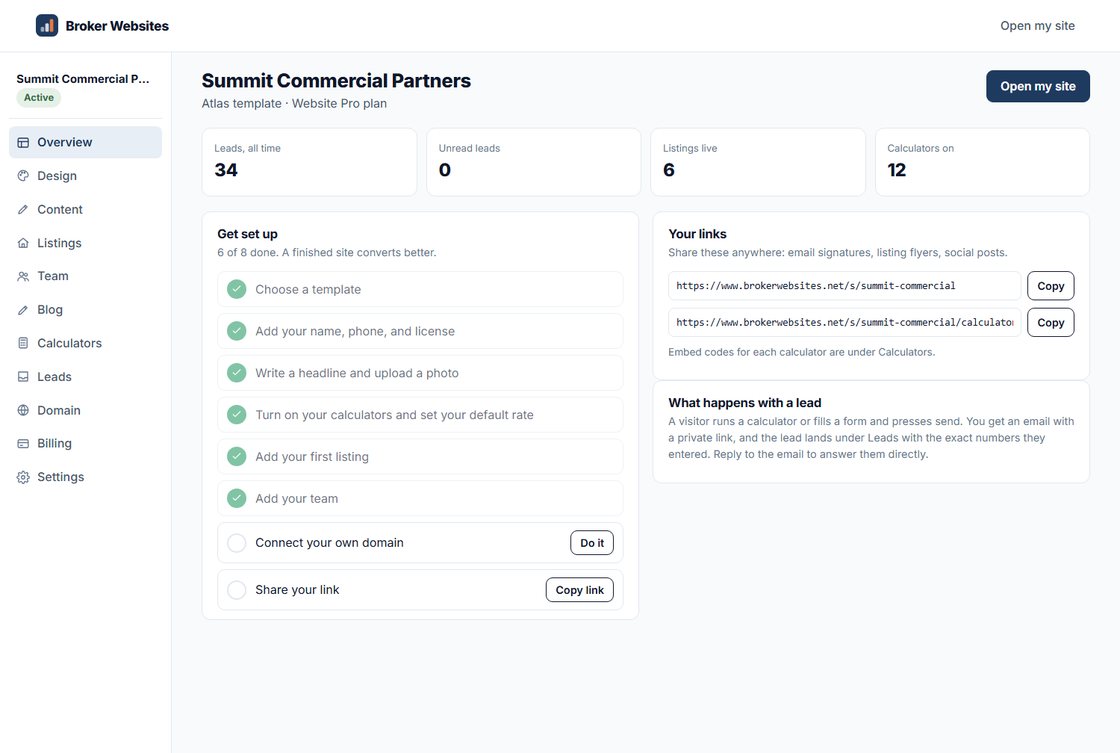
Your site goes live
Your company, your photo, your listings, your rates.
When it looks right, share your link. Connect your own domain whenever you like and the address changes without anything breaking. If you would rather not do any of this yourself, the setup service is us doing it: your listings entered, your domain connected, and a call to walk you through the dashboard afterwards.
Open a finished site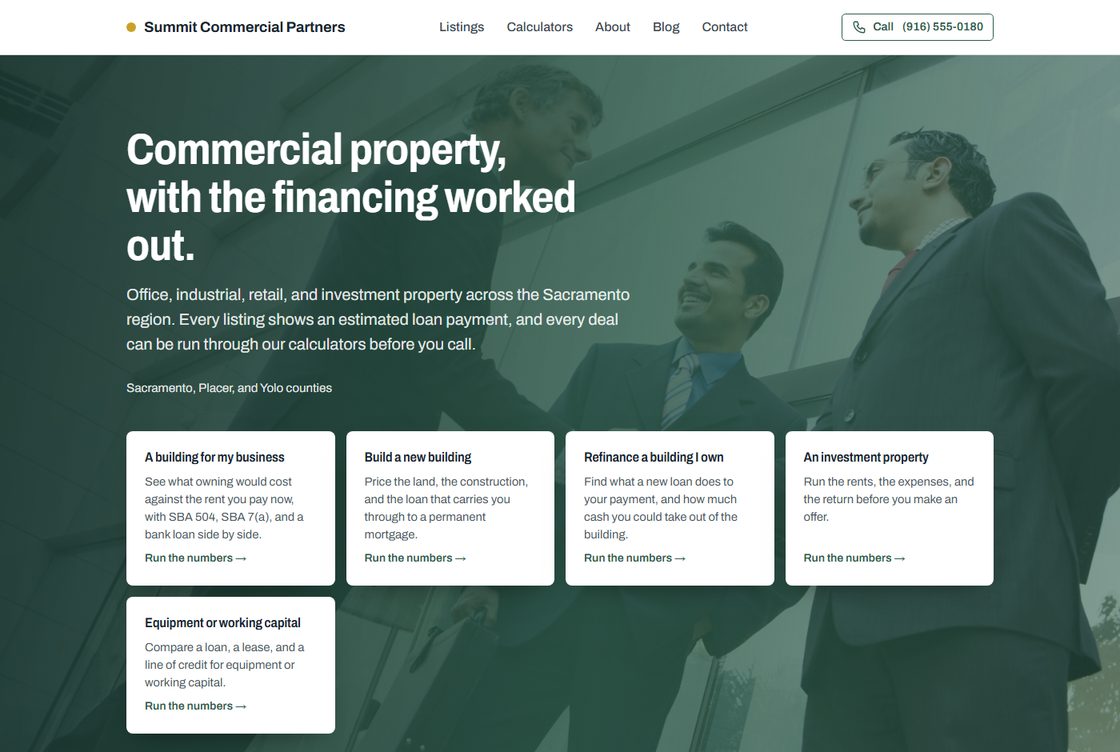
Turn on the software
This is the part a brochure website cannot do.
Your client picks what they are trying to do and walks their own deal. On an investment property that means the cap rate, the cash flow, the cash-on-cash and the return after tax, whether the rent covers the loan and by how much, what their equity looks like over five years, and the most they should pay to hit the coverage a bank wants. Owner-user, construction, refinance and equipment do the same for their own questions — 24 tools in all, and you decide which appear. Every figure is a planning estimate; a lender confirms eligibility, terms and approval.
Try the software yourself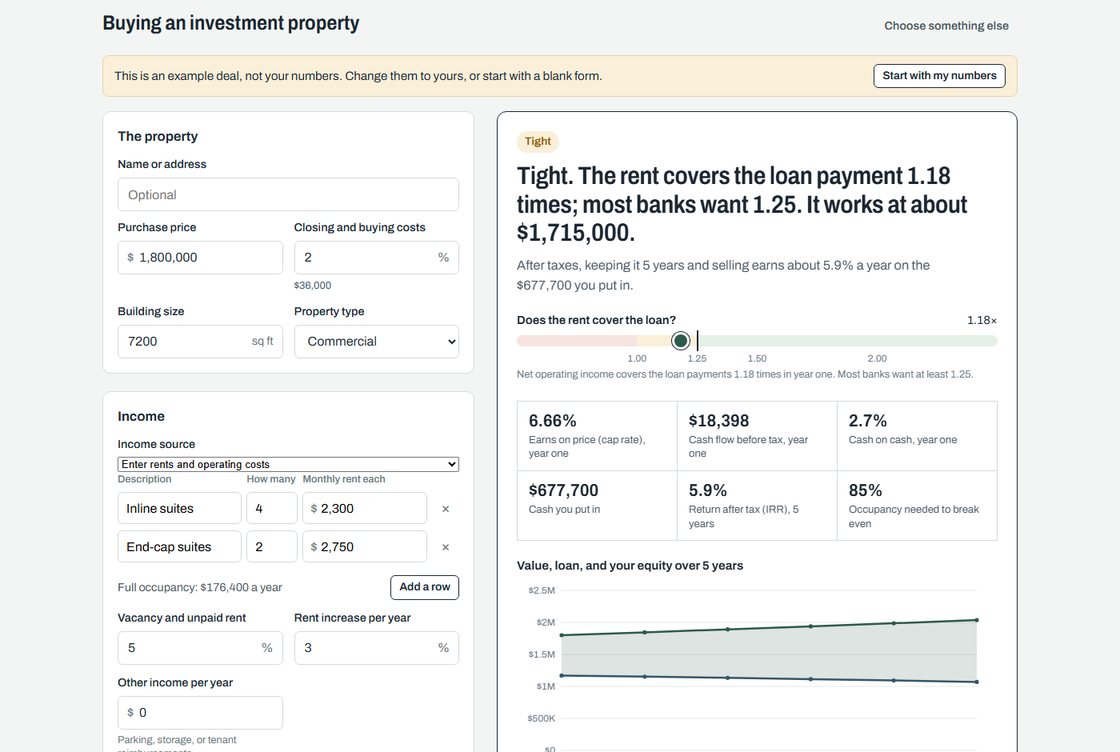
Answer leads that already did the math
The numbers come attached, so the first call starts in the middle.
When someone finishes a scenario, the button under it sends it to you, or emails the report to them, and either way you get the lead. You get an email right away, and the lead lands on your lead board with the figures they entered and the answer they saw, so you are not starting from "what were you thinking of buying?". They hear back from your company within seconds, with your booking link. Move the lead through its stages, set a follow-up date, and the reminder comes to your inbox.
See what you receive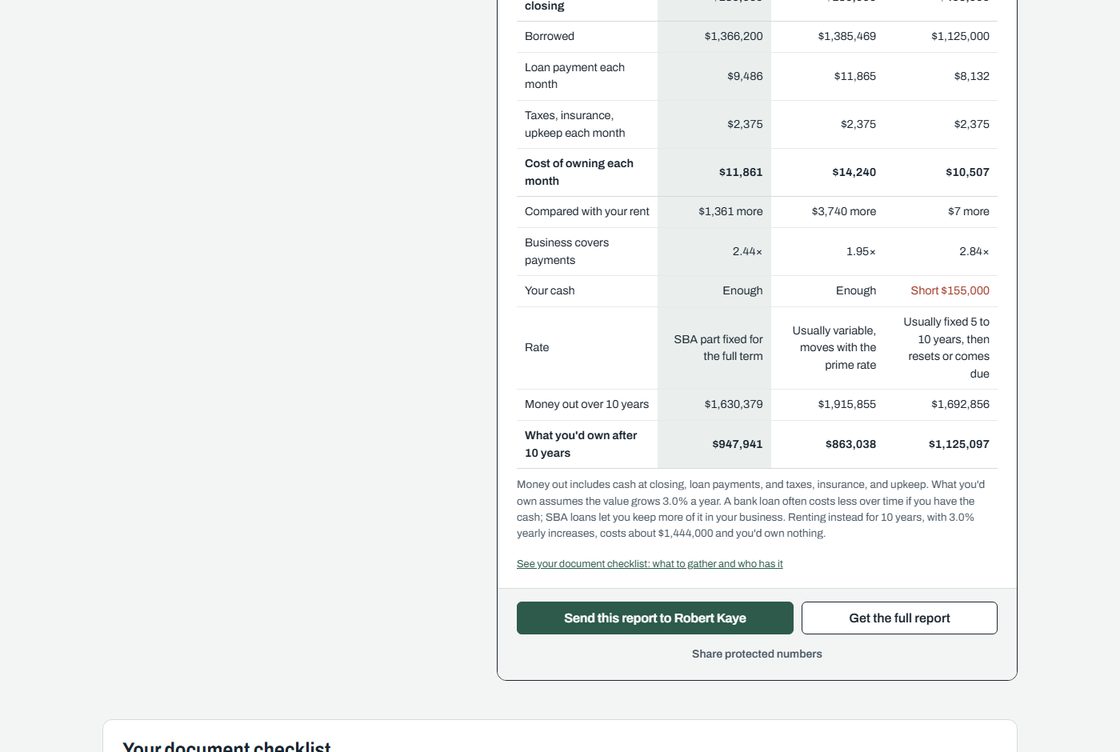
Nothing, for 7 days
No card to start. Build the whole thing, share the link, and decide afterwards.
Broker Websites builds and hosts the site. You own your content, and you can take it elsewhere whenever you want.